This is the day three of TheFlightSims Challenge - A 10-day challenge to set up a full-stack enterprise network at home, with Microsoft Active Directory, DevOps, and so on.
Configure Active Directory Certification Services
Install & configure the root Certification Authority on DC01
To install AD CS Authority Service on DC01, to handle certification requests, you can use this script to perform automated installation on DC01
# Get Windows Activation status
$isWSActivated = $false
$wsStatus = Get-CimInstance SoftwareLicensingProduct -Filter "Name like 'Windows%'" | Where-Object { $_.PartialProductKey } | Select-Object LicenseStatus
if ($wsStatus.LicenseStatus -eq 1) {
    $isWSActivated = $true
    Write-Host "Windows is activated!"
} else {
    Write-Host "Windows is not activated!" -ForegroundColor Red
}

# Get Windows image status
$isImageGood = $false
$wsImage = Repair-WindowsImage -Online -CheckHealth
if ($wsImage.ImageHealthState -eq "Healthy") {
    Write-Host "Windows Image is in good condition!"
    $isImageGood = $true
} else {
    Write-Host "Windows Image is currupted! You should run diagnostic!" -ForegroundColor Red
}

if ($isWSActivated -and $isImageGood) {
    Write-Host "Installing AD CS roles for Domain Controller"
    Install-WindowsFeature -Name AD-Certificate -IncludeManagementTools
} else {
    Write-Host "Unable to install AD CS for Domain Controller" -ForegroundColor Red
}
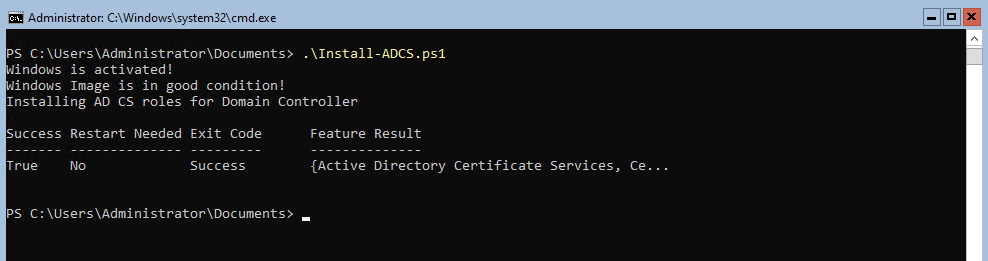
Once the installation is finished, you can promote the AD CS of DC01 to the root authority, using this script
# Check if the ADDS roles are installed
$isADCSInstalled = $false
$adcsRoleStatus = Get-WindowsFeature -Name "ADCS-Cert-Authority"
if ($adcsRoleStatus.InstallState -eq "Installed") {
    Write-Host "AD CS Services are installed!"
    $isADCSInstalled = $true
} else {
    Write-Host "AD CS Services are not installed!" -ForegroundColor Red
}

if ($isADCSInstalled) {
    Write-Host "Promoting current server to Root CA"
    Install-AdcsCertificationAuthority `
        -CAType EnterpriseRootCa `
        -CryptoProviderName "RSA#Microsoft Software Key Storage Provider" `
        -KeyLength 4096 `
        -HashAlgorithmName SHA512 `
        -ValidityPeriod Years `
        -ValidityPeriodUnits 10
} else {
    Write-Host "Unable to install AD CS because of absent of Certificate Service installed" -ForegroundColor Red
}
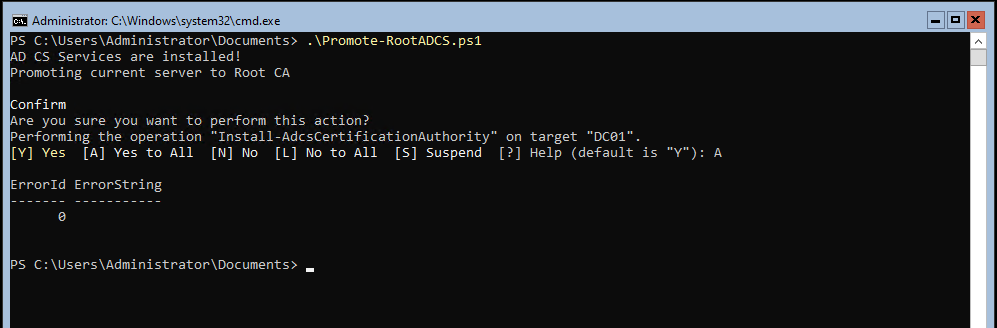
Install & configure the subroot Certification Authority on DC02
Once the promotion of the root CA on DC01 is completed, it is recommended to have a secondary Certification Authority on the Active Directory instance, so in case an authority service on a single server is crashed, you still can handle certification requests.
To do this, do the installation as same as on DC01, however, when promoting, you should try this subroot CA promotion, not root CA promotion.
$domain = "workshop.neko"
$caName = "workshop-DC01-CA"

# Check if the ADDS roles are installed
$isADCSInstalled = $false
$adcsRoleStatus = Get-WindowsFeature -Name "ADCS-Cert-Authority"
if ($adcsRoleStatus.InstallState -eq "Installed") {
    Write-Host "AD CS Services are installed!"
    $isADCSInstalled = $true
} else {
    Write-Host "AD CS Services are not installed!" -ForegroundColor Red
}

if ($isADCSInstalled) {
    Write-Host "Promoting current server to Subroot CA"
    Install-AdcsCertificationAuthority `
        -CAType EnterpriseSubordinateCa `
		-ParentCA "DC01.$domain\$caName"
} else {
    Write-Host "Unable to install AD CS because of absent of Certificate Service installed" -ForegroundColor Red
}
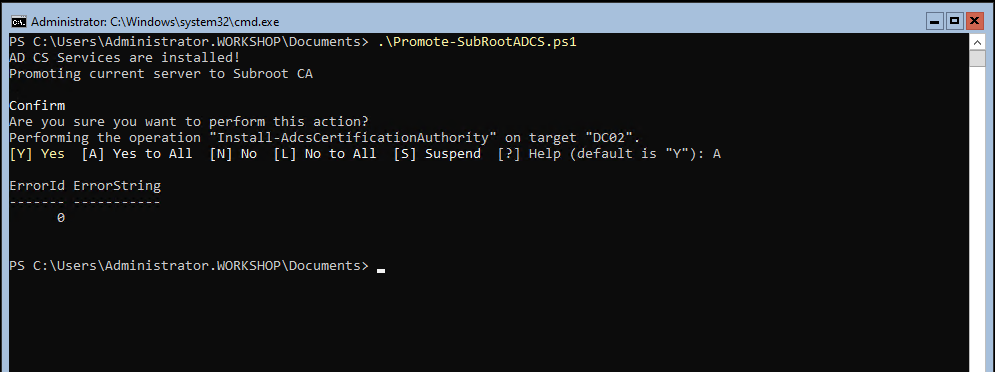
Further configuration on RSAT
Since both DC01 and DC02 are running on Windows Server Core (no GUI possible), so you may need to configure AD CS services on Windows client
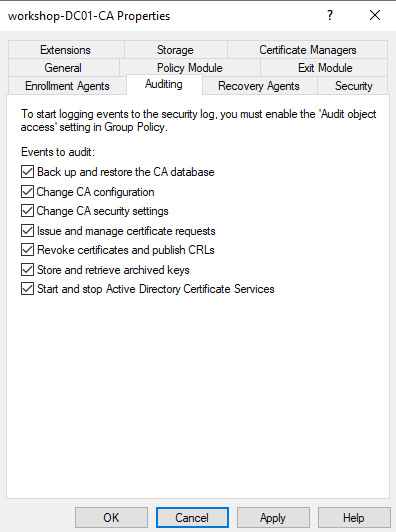
First thing to consider is enable auditing, to track configuration changes, certification requests, and so on.